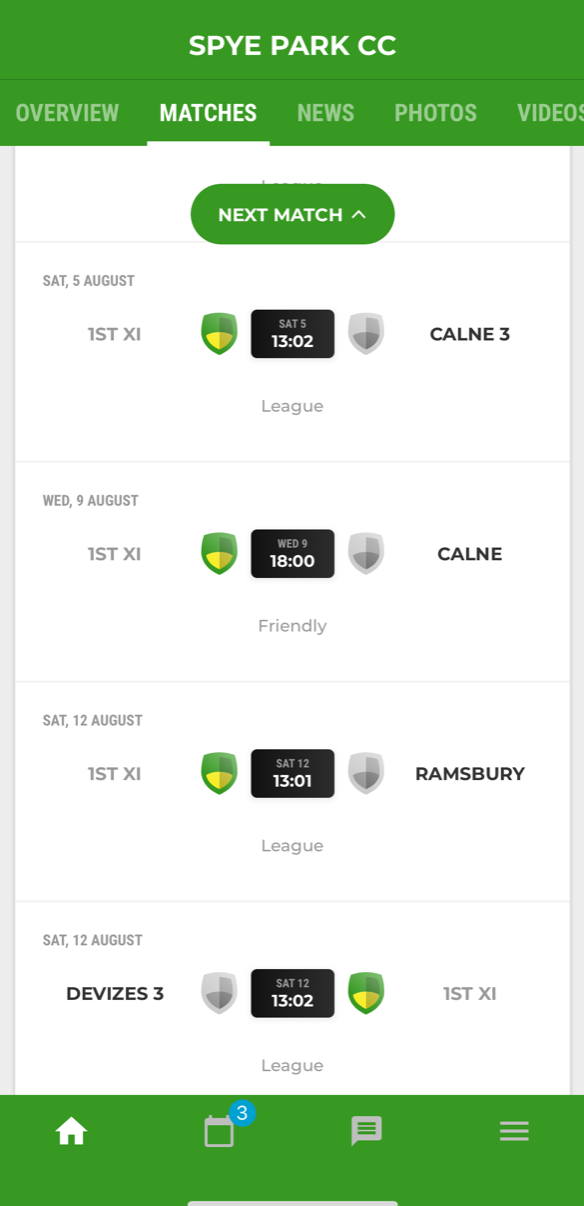
Spye Park Cricket Club uses the Pitchero App and Website for our players to show their availability for upcoming games be it Saturday league games or mid-week & Sunday friendlies.
The Spye Captains and Team Managers typically start reviewing availability about 2 weeks before a game so please remember to keep your availability updated.
Joining the Spye Pitchero for the first time
Pitchero is straightforward to use and can be accessed via the website or by downloading the Picthero app onto your smartphone.
The app is recommended as there is more functionality, including quick communications with just a single tap to confirm yes or no to when selected and player can update their availability for every single fixture for the season ahead.
A hugely beneficial and efficient tool that helps our team captains with the challenging job of selecting teams for upcoming fixtures.
Sample Image inside Pitchero App
To join Pitchero as a Spye Park player:
Download the Pitchero Club App – Available on the Apple App Store and Google Play Store.
Create an account (or sign in if you already have one).
When prompted, search for “Spye Park Cricket Club” and select the club.
Choose your team(s) and your role. We’ll quickly review and approve your request.
Once approved, you’ll be able to: – Update your availability for upcoming fixtures – Receive team selection notifications – View match details and club updates
For Player Availability and Team Selection: Download the Spye Club App on your smartphone from Apple App Store or the Google Play Store.